KNX to Shelly
KNX IP, Shelly, Zigbee, Home Assistant and MQTT named on sight.
PanelCraft/Software/NetScan
Discover · for macOS · early access
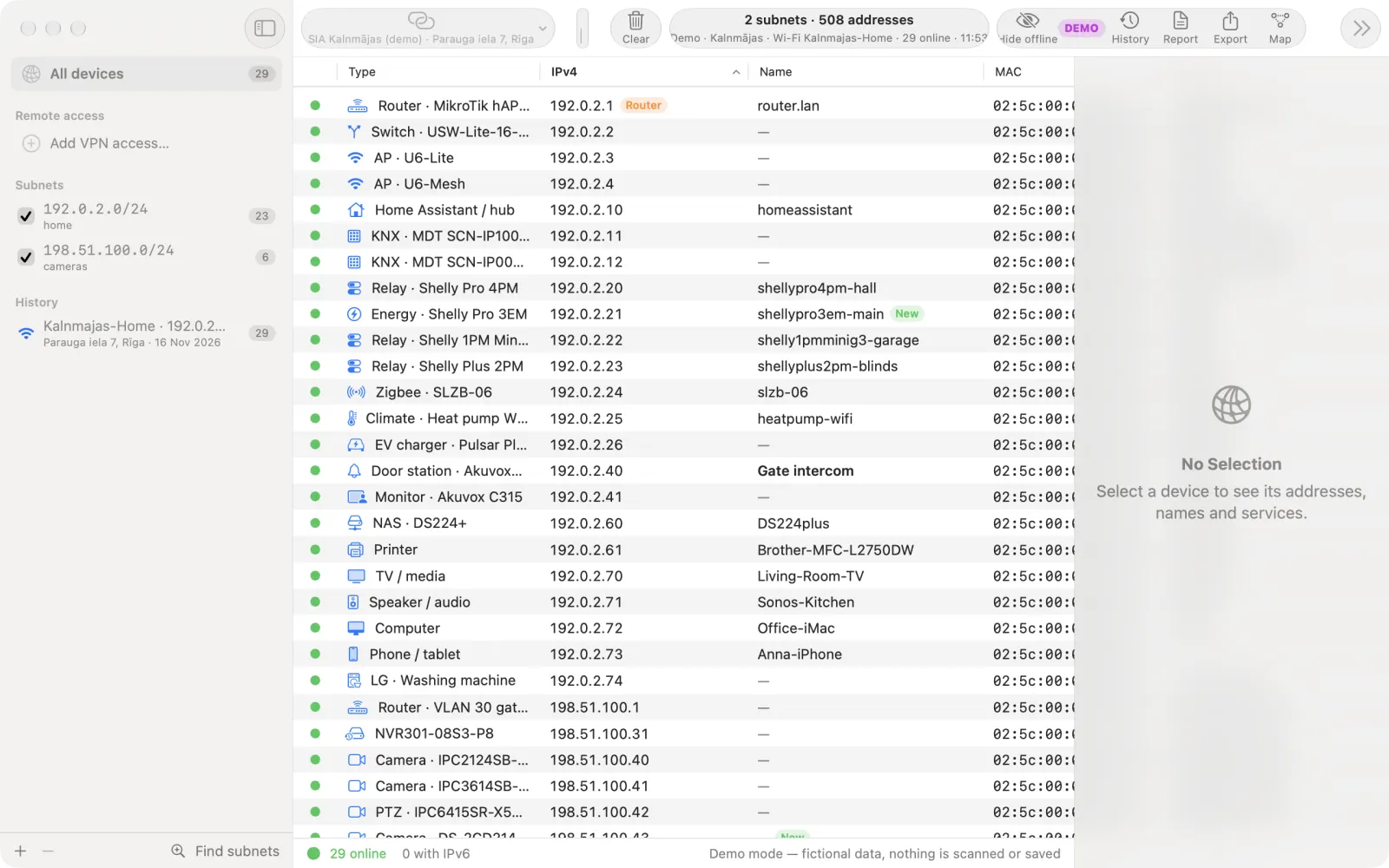
NetScan is a network scanner for Mac that understands smart homes. It sweeps the site network and tells you what each device is — KNX IP router, Shelly relay, NVR, door station, Zigbee gateway, MQTT broker — not just an IP and “Espressif Inc.”
See it work
A real scan of a test network, timer running, not sped up — then the same site on the next visit, and the report the client gets.
How a scan runs
Router client lists show forty rows of “unknown”. NetScan asks the network the way an installer would — then puts a device type on every row.
Mac interfaces, routes, the upstream router and typical gateways. Switch any subnet off.
ICMP echo and TCP connect sweep, ARP and NDP for MACs, duplicate IPv4 flagged.
Reverse DNS, mDNS/Bonjour — down to “MacBook Air · Mac15,12” — and NetBIOS.
KNXnet/IP search, ONVIF, SSDP/UPnP, Shelly API, SNMP, HTTP title, Ubiquiti.
Site recognised by gateway MAC, scan saved, new devices marked, PDF for the client.
What's inside
Native SwiftUI app with no third-party dependencies. Items marked roadmap are planned, not shipped — we do not sell them yet.
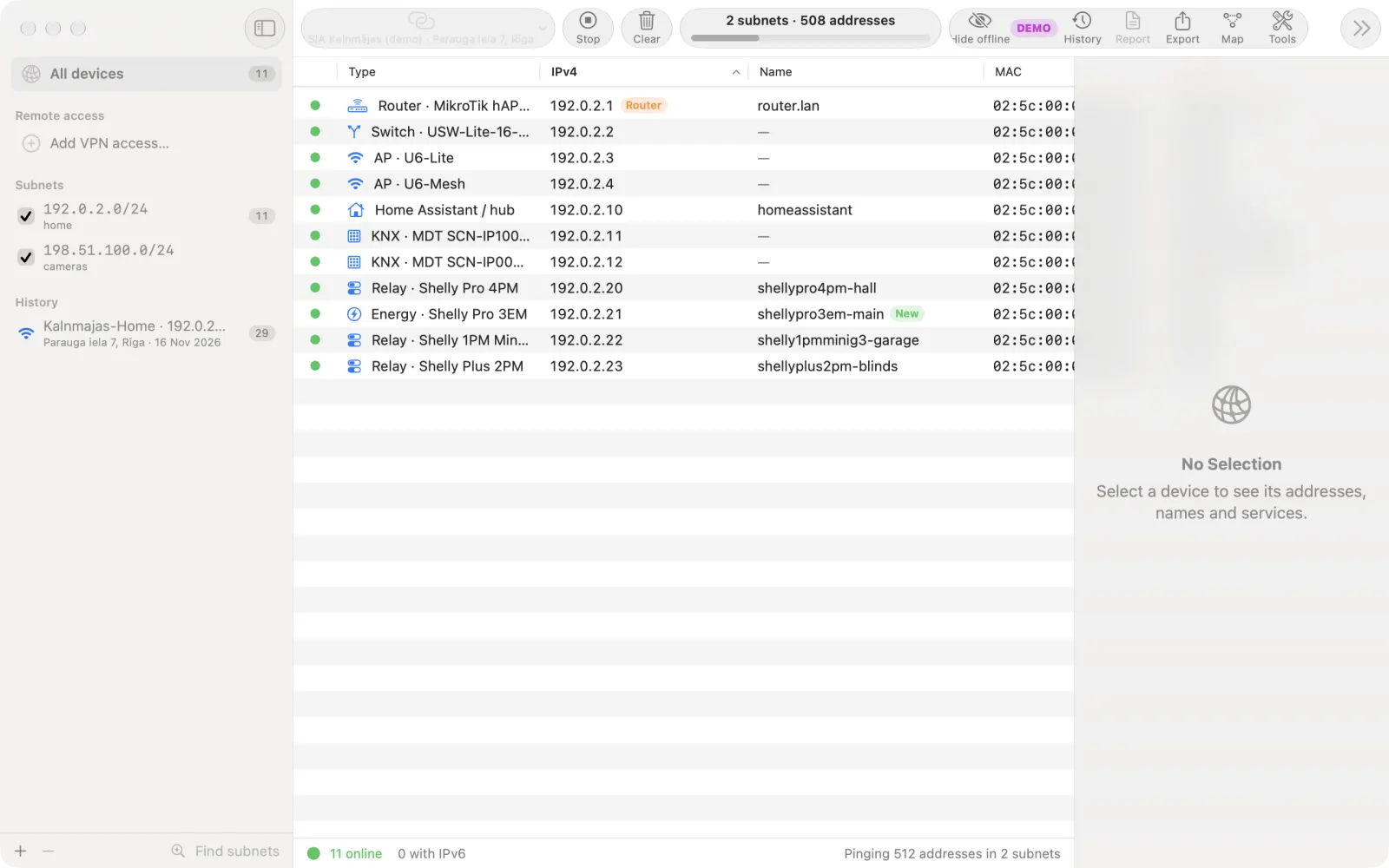
Plug into the site network and press Scan. A /24 on our test bench takes 40–60 seconds, timer not sped up.
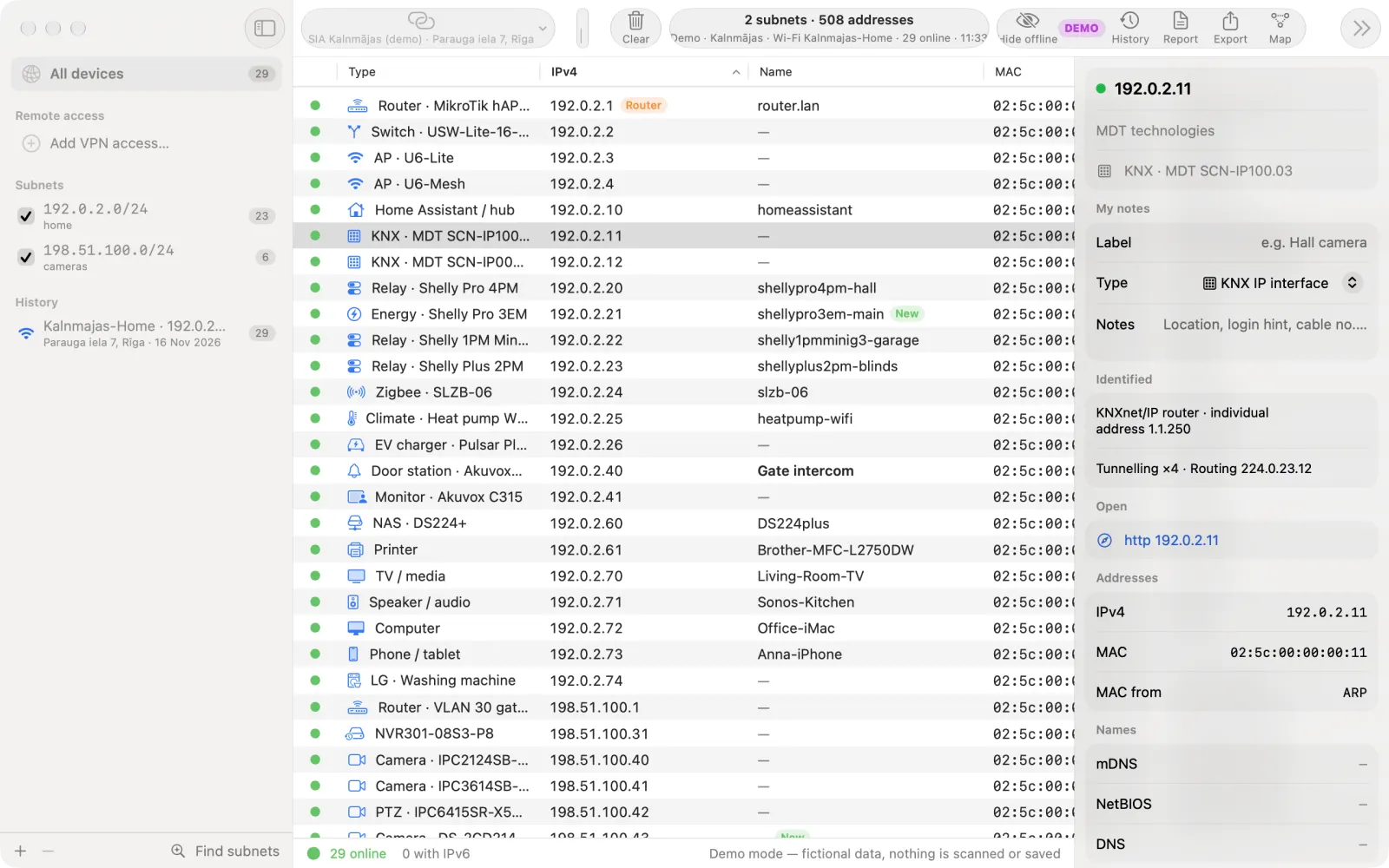
Identification comes from what devices announce themselves — protocol answers, names, banners, page titles — and the MAC vendor only as a last resort.
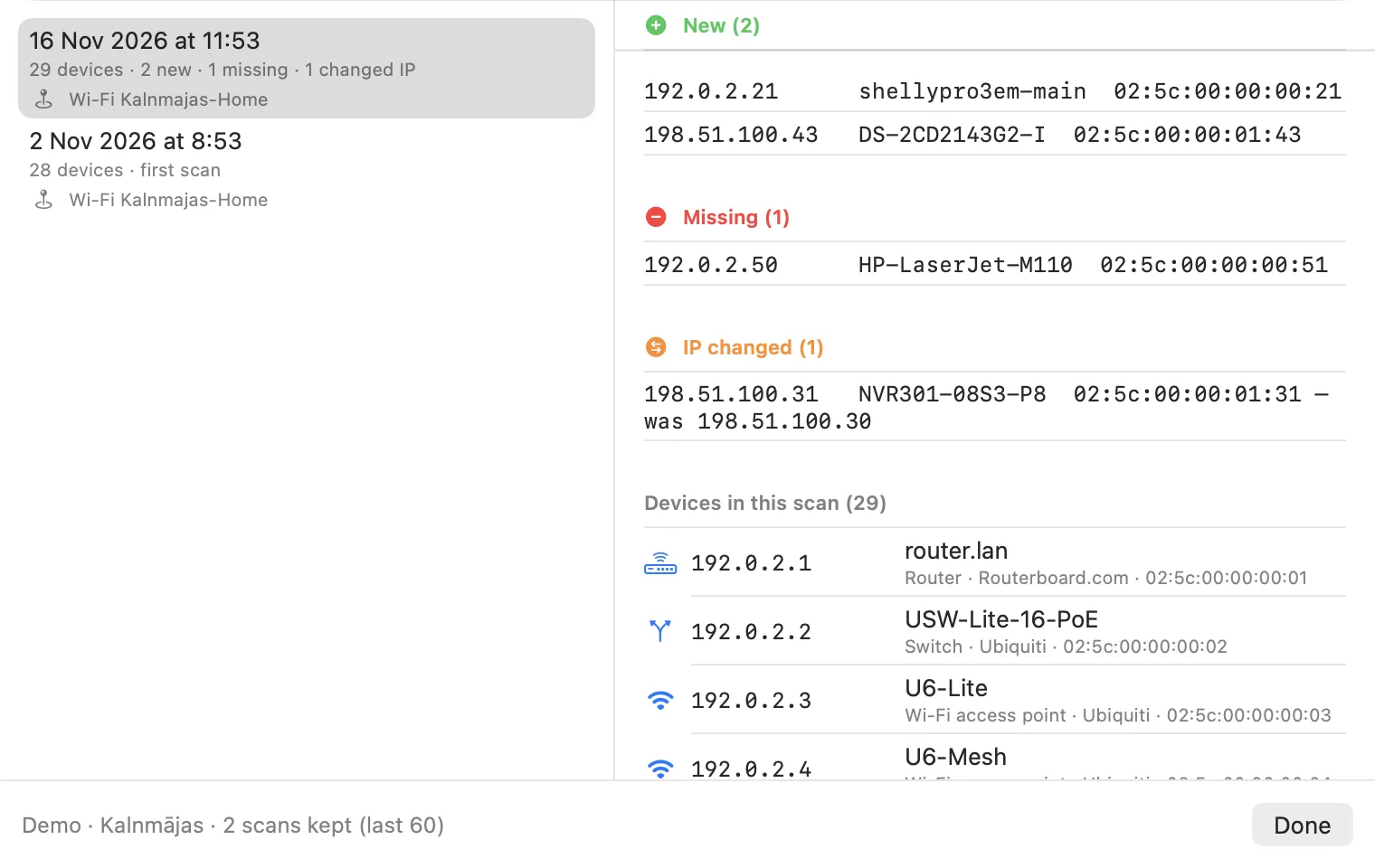
Connect to a client network and NetScan recognises the site by its gateway. Every scan is kept, so the next visit starts with a diff, not a blank list.
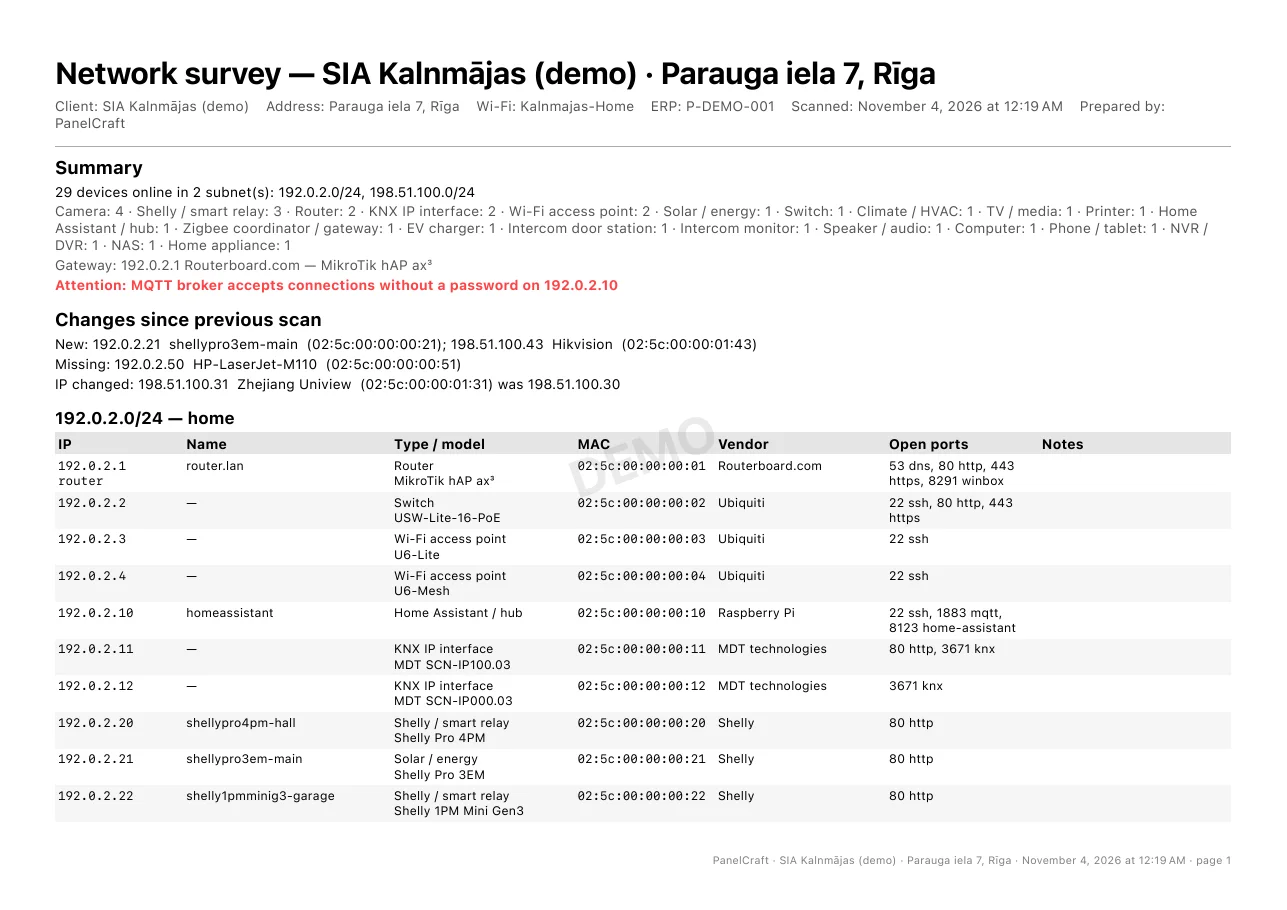
One click turns the scan into a document for the client: what is on their network and what deserves attention.
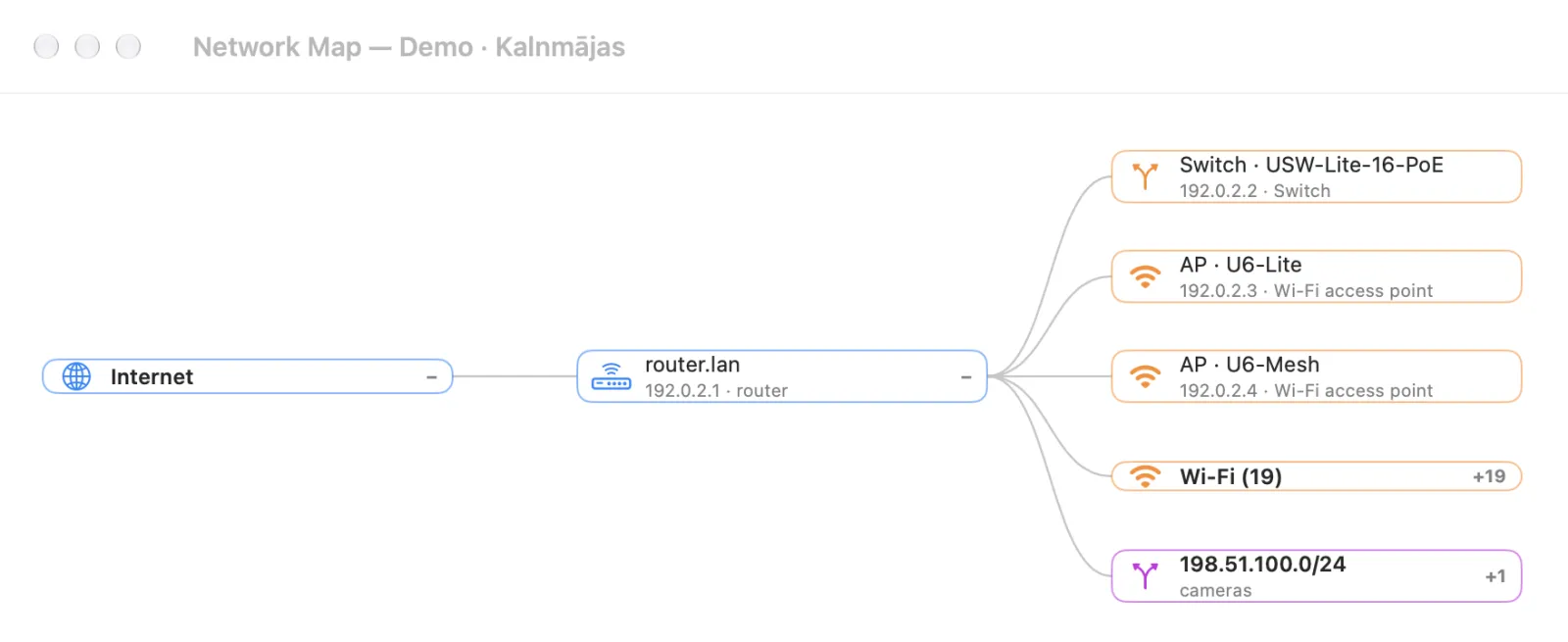
SNMP and the UniFi controller fill in the physical side: the port a camera sits on, the AP a sensor talks to (Pro).
No switching to Terminal on site. All tools are free.
Who it's for
Every site visit used to start with “what is on this network?”. We built NetScan for our own installations and tested it on real houses, a showroom and an apartment building.
KNX IP, Shelly, Zigbee, Home Assistant and MQTT named on sight.
ONVIF cameras, NVRs, intercoms, and the switch port and PoE behind them.
See what appeared, vanished or changed address since you were last there.
Printers, NAS, computers and a PDF report without a subscription or cloud.
Pricing
Free is a complete scanner with no time limit. Pro is for installers who come back to the same sites and hand reports to clients. Prices are announced at launch.
The network you are on.
€0
For one installer, all your sites.
At launch
Prices excl. VAT, announced at launch. Expired Pro removes only Pro features — your sites and scans stay readable and exportable.
Where it fits
NetScan reads only what devices publish about themselves. No password guessing, no exploits, no cloud account. Scan your own network or a client's with their consent.
| Router client list | Generic IP scanner | NetScan | |
|---|---|---|---|
| Device type | Hostname, if any | MAC vendor | From the device's own answers |
| KNX, ONVIF, Shelly, MQTT | No | Rarely | Built in |
| Client sites & history | No | Rarely | Yes (Pro) |
| Switch port & PoE | No | No | SNMP, UniFi (Pro) |
| Report for the client | No | Export only | PDF in EN / LV / RU |
| Writes to devices | — | Varies | Never |
FAQ
It tells you what each device is, not only its IP and MAC vendor. NetScan reads KNXnet/IP, ONVIF, SSDP/UPnP, Shelly API, mDNS and SNMP answers and names KNX IP routers, Shelly relays, NVRs, door stations, Zigbee coordinators and MQTT brokers. Pro also remembers each client site and shows what changed since the last visit.
No — it is read-only. It never guesses passwords, never writes KNX group addresses or Modbus registers and never uses vendor activation protocols. Modbus device identification is read as ID only.
No. Scans never leave your Mac. NetScan contacts the internet only when you ask: public-IP lookup, licence activation, or the optional AI assistant with your own key. UniFi and remote-access passwords live in the macOS Keychain.
The network your Mac is on, up to a /24, with device types, names, vendors, ports, MQTT brokers, tools, CSV export and a watermarked PDF report. Pro adds client sites and history, a clean report, larger and several subnets, the network map, UniFi, remote access and JSON export.
macOS 14 Sonoma or later, Apple Silicon and Intel. macOS asks for Local Network access to scan, and for Location only to show the Wi-Fi name. Windows is not planned unless installers ask for it.
The public build is being signed and notarised for macOS. Early-access users get a test build now. Join early access below — we send you the build and help with your first site.
Early access
The public build is being signed and notarised for macOS. Early-access users get a test build now and a direct line to the people behind it. If a device shows as unknown, send us the model — we add it.
The request form opens on the next page: the product is already selected — add your role and an e-mail or phone. We reply within one working day.
Send requestWe use your details only to answer this request. Privacy policy
Found a mess?